How to Choose a Home Projector in 2026: From Budget to Home Theater
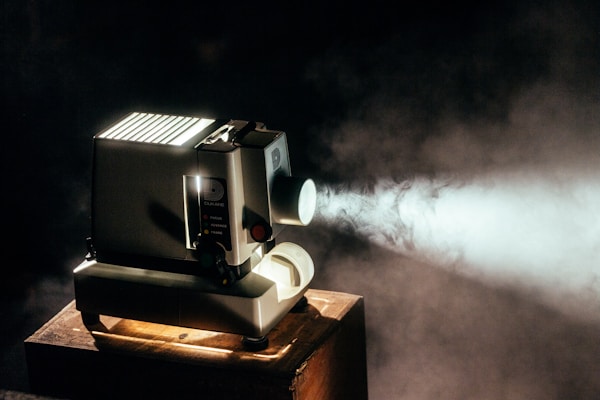
A good projector can turn any wall into a cinema screen. But choosing the right one means understanding resolution, brightness, and throw distance. Here is the complete guide.
Start With the 120-Inch Question
A 120-inch TV costs thousands of euros and weighs enough to need professional wall mounting. A projector throws that same image from a coffee table. That gap in cost per inch is the whole argument for projecting, but it is not the whole decision.
We have not set up a projector lab here; this guide is built from catalog specs and listing numbers. The specs that decide the outcome are lumens, throw ratio, and input lag, not the resolution sticker. The real questions come from your room: how much light it lets in, and how far the wall is from your seat.
Resolution: the Last Spec to Panic About
At 3 meters or more from the screen, the difference between 1080p and 4K is minimal, and that is the source of the rule: Full HD is the sweet spot for most living rooms. 4K only becomes visible above a 100-inch image or when you sit closer than 2.5 meters, and the 4K class leans on pixel-shifting technology to reach true 4K resolution. Budget 720p models? Only for small screens. For home theater, skip them entirely.
So the honest order of priorities: 1080p unless your screen is huge and your sofa is close.
Lumens Decide Whether You Watch or Squint
Brightness is the spec that breaks deals. 500-1000 ANSI lumens is a dark-room-only projector: fine for occasional movie nights with the curtains shut. 1000-2500 lumens copes with ambient light, the living-room reality for most people. 2500-4000 lumens handles daytime viewing in a moderately lit room without blackout curtains. Beyond 4000 you are buying for conference rooms and serious light.
The rule is to overestimate, and the gap between the picks below shows why: the MoGo 2 ships 400 lumens, the TK700STi ships 3200. A dim projector in a bright room produces a washed-out image no matter how good its resolution or color accuracy, and no review count in the listing fixes that.
Measure the Room Before You Measure the Specs
Throw distance is the gap between the projector and the screen, and it decides whether a projector fits at all. A standard throw (2.0-3.0:1) needs 2 to 3 meters for a 100-inch image: that is a back-of-room ceiling mount, not a shelf. Short throw (0.5-1.5:1) gets the same 100 inches from 1 to 1.5 meters, which suits small rooms where the projector can sit on a shelf near the screen. Ultra-short throw (UST, under 0.3:1) works from centimeters away, kills shadow problems, and frees the whole room: the right answer for apartments where the sofa is two steps from the wall.
Grab a tape measure before you grab a credit card: if your room cannot give the projector its 2 to 3 meters for a standard throw, the resolution and lumens arguments stop mattering.
The Picks, Matched to the Room
The BenQ TK700STi is the living-room answer: true 4K at 3200 lumens, and a short throw that fills a 100-inch screen from 2.1 meters. Android TV and Apple AirPlay are built in, and the HDR-PRO tone mapping keeps colors vivid even in a lit room. What you give up: it still needs about 2 meters of throw distance, so it is not a tiny-apartment solution.
For the bedroom, the XGIMI MoGo 2: 1080p at 400 ANSI lumens, compact enough to carry, Android TV on board. That 400-lumen figure is the trade-off in plain sight: this is a dark-room projector, perfect for late-night films or outdoor screenings, and it will look thin in a bright living room.
Then there is the Hisense PX3-PRO, the apartment answer: a triple-laser light source pushing over 2500 lumens from just 15 centimeters off the wall, delivering a 100-inch image. At that brightness and throw distance it is the closest thing here to an OLED experience without the OLED cost per inch.
The Extras That Matter (and the Speakers That Don't)
Auto keystone correction reshapes the image when the projector is not perfectly centered: a must-have unless you can place the unit dead-center in front of the screen, which in a 100-inch setup is harder than it sounds.
Built-in speakers are the opposite: most are mediocre at best. Treat them as a temporary convenience, budget for a soundbar or external speakers, and do not pay a premium for smart audio. The rule holds from a 400-lumen portable to a 3200-lumen home theater unit.
Gamers get one number that matters: input lag under 20 milliseconds in game mode. Above that, the delay between your controller and the screen becomes noticeable, which is exactly when a projector stops feeling like fun.
Set Up the Room, Not Just the Projector
Work backward: pick the screen size your room can support, then place the projector at the throw distance that produces it, then fine-tune focus and keystone. An ALR (ambient light rejecting) screen is worth the money if windows or lamps are part of your room; it minimizes reflections that a plain white wall lets straight through, and on a 100-inch image the difference shows. A white wall works in a pinch, but a dedicated screen gives better color uniformity and brightness consistency, and after spending on lumens to fight ambient light, cheaping out on the surface is the odd place to save.
Buy in this order: measure the wall-to-sofa distance, count the light sources, then argue about resolution. If you must choose between a brighter bulb and a sharper chip, take the bulb: a washed-out 4K image loses to a crisp 1080p one every time. See our complete product guides for the rest of the lineup.
🔍 Data sources
Editorial conclusions are drafted by the DealMaxa team from these documented specifications and aggregated buyer reviews. No brand can pay for a better placement. Our methodology · Price transparency